Introducing the New Planworth Dashboard
A faster, cleaner planning experience designed to help advisors review plans, compare scenarios, present insights, and guide client conversations with greater clarity.
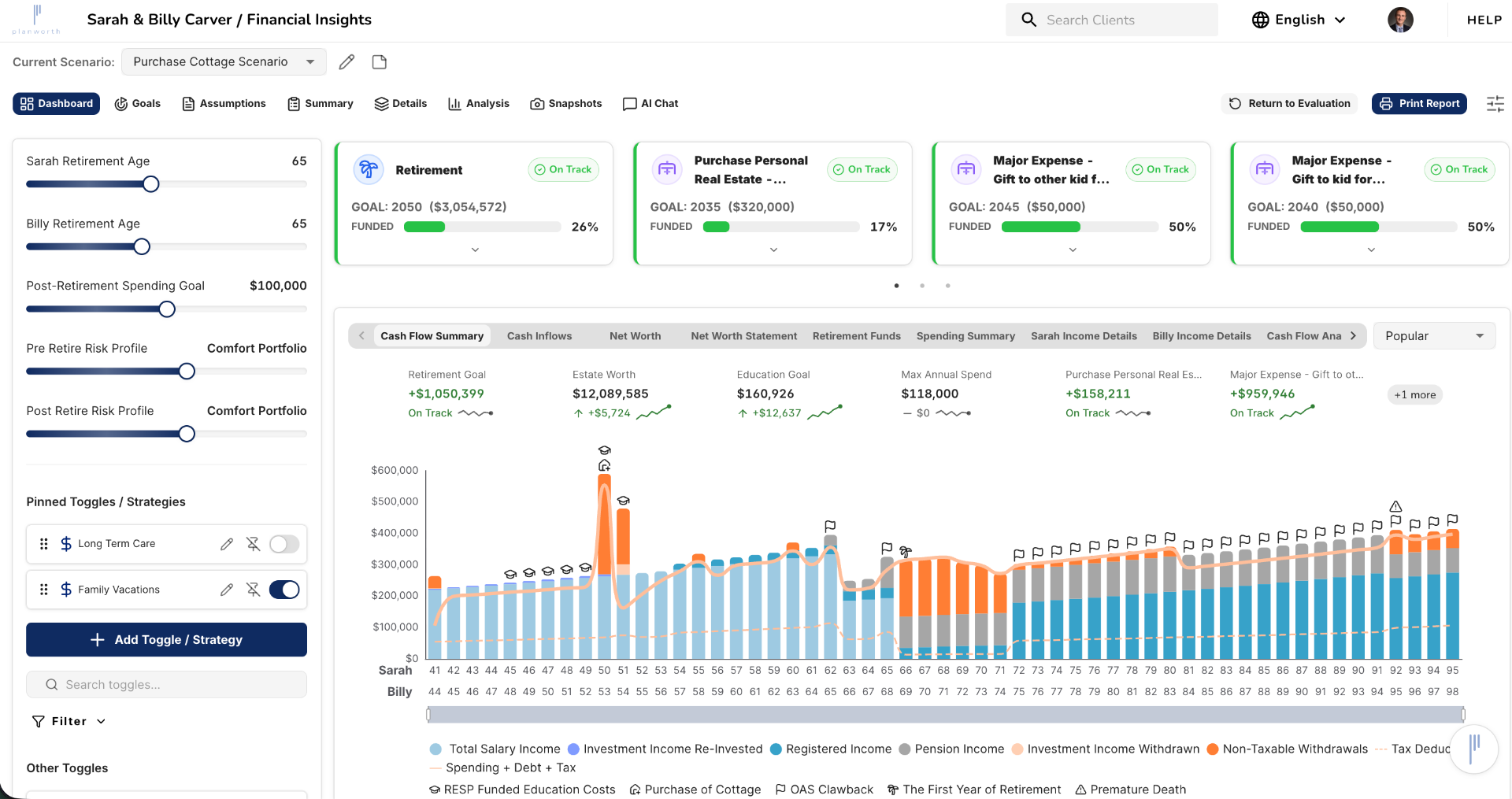
A major step forward for the Planworth planning experience
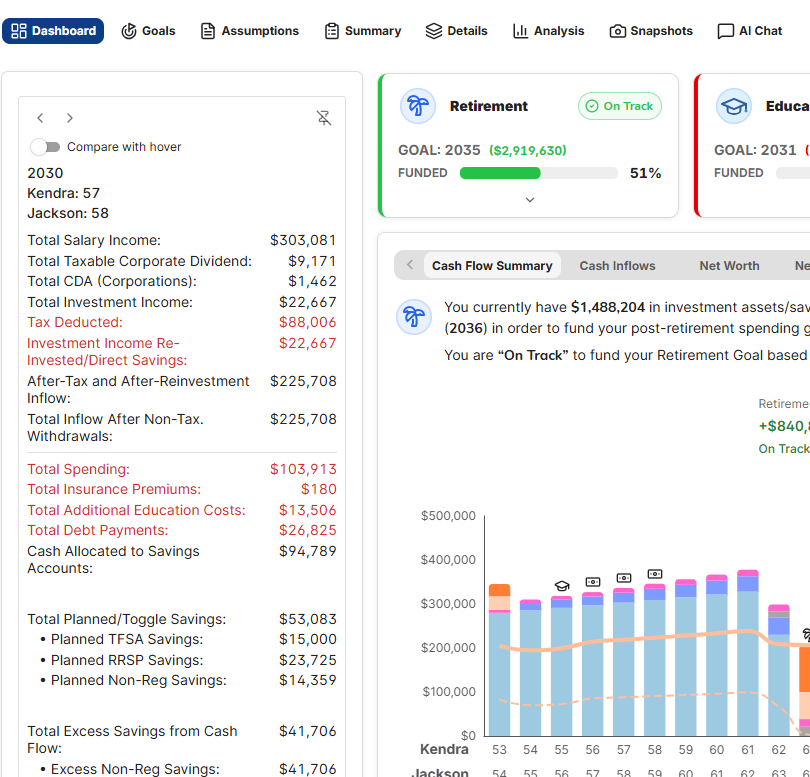
The new Planworth Dashboard brings the most important planning information into a clearer, more responsive workspace. Advisors can review plans, compare scenarios, access key planning insights, and guide client conversations with greater confidence.
Redesigned Dashboard Experience
A clearer, more responsive workspace for reviewing plans, comparing scenarios, and accessing key planning insights.
Flexible Strategy Modelling
Improved toggle controls make it easier to organize, test, and present planning strategies.
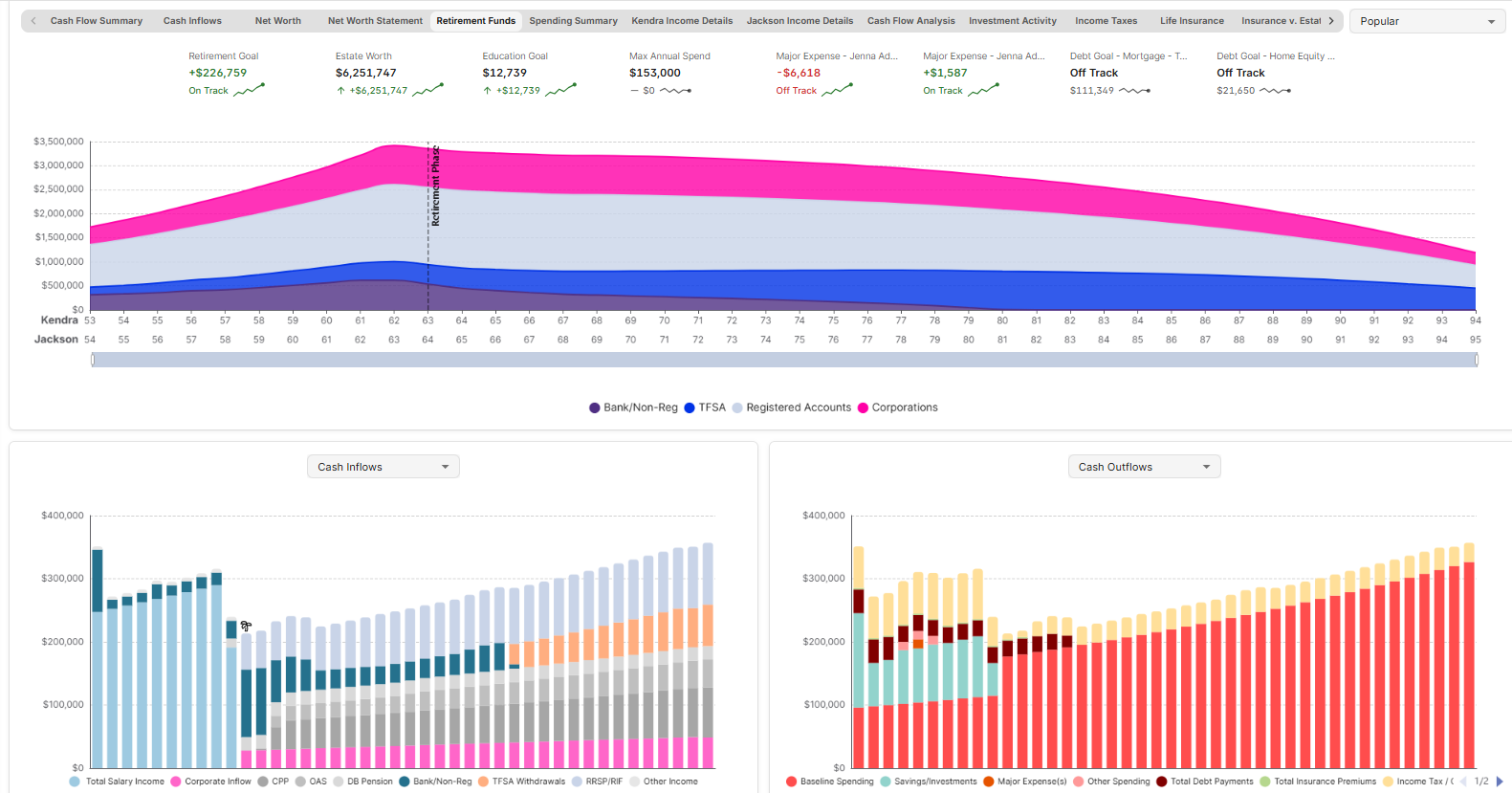
Enhanced Charts and Visualizations
Expanded chart views, comparison charts, snapshot-style visuals, and supporting values help advisors explain planning outcomes more clearly.
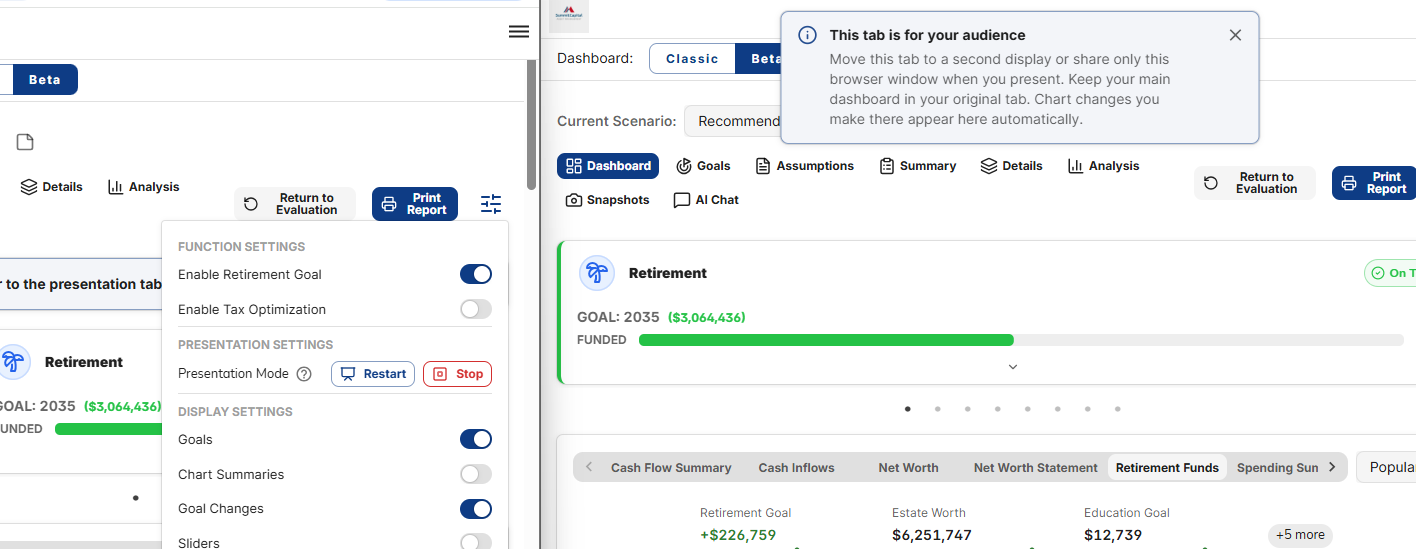
Presentation Mode
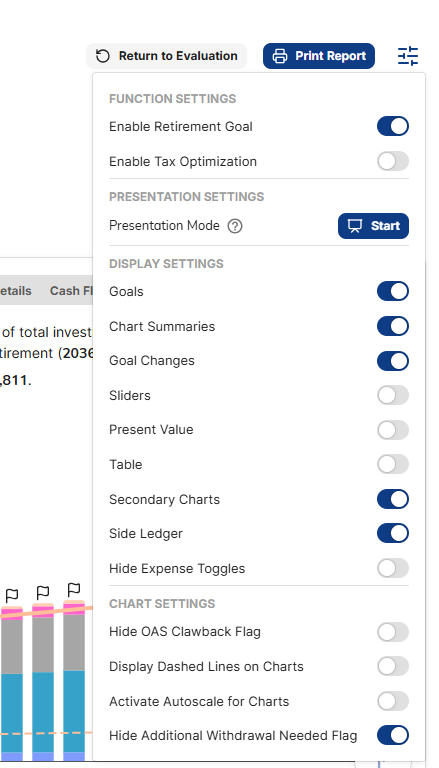
A cleaner client-facing view that syncs with the advisor workspace while hiding editing controls.
Built for clearer planning conversations
The new Planworth Dashboard gives advisors a more responsive workspace for reviewing plans, comparing scenarios, and accessing key planning insights.
- Cleaner dashboard layout and improved navigation
- Faster, more responsive scenario workflows
- Improved loading states and dashboard controls
- Live planning metrics surfaced directly in the dashboard
- A more presentation-ready planning experience
Advisors can move from analysis to conversation more smoothly, with key planning information easier to find, compare, and explain.
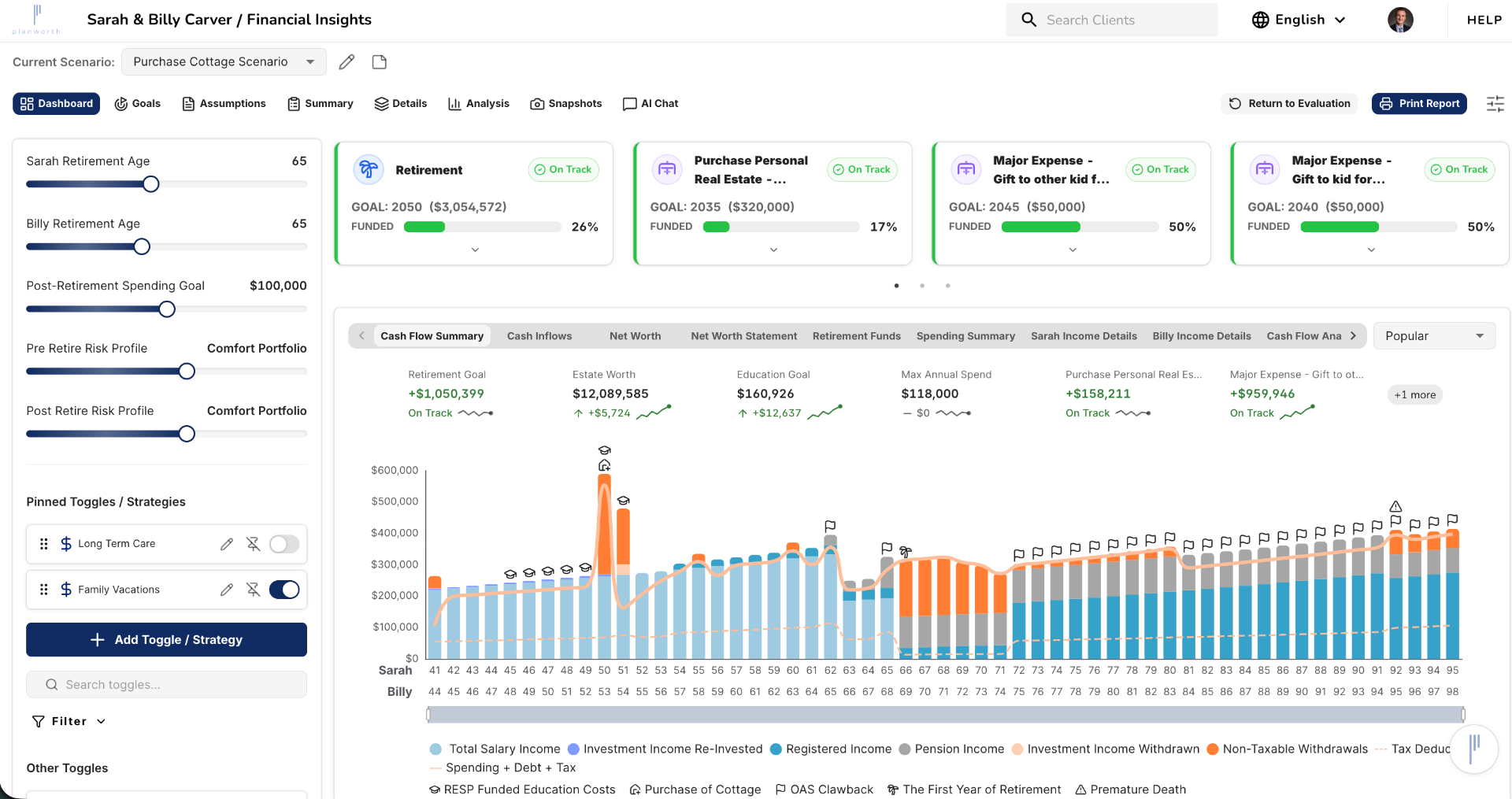
Organize and compare planning strategies with less friction
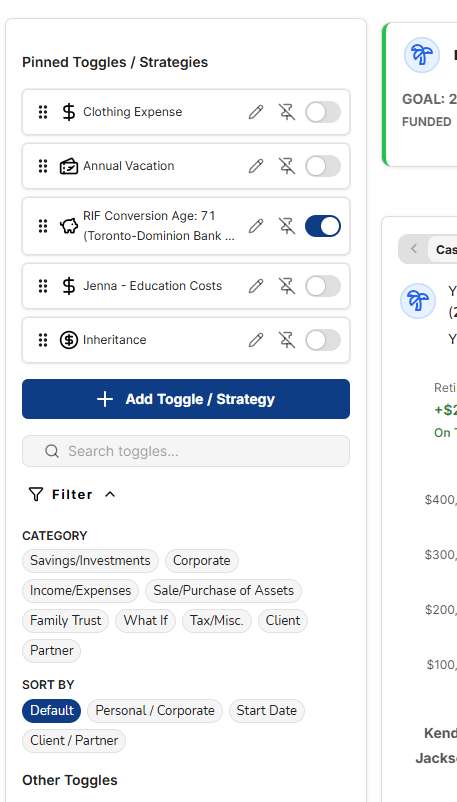
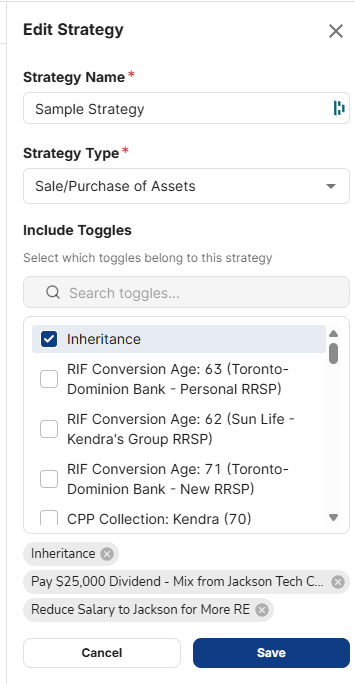
The updated strategy modelling experience makes it easier to organize, test, and present planning strategies. Advisors can manage planning actions more efficiently, group related strategies together, and reduce friction when comparing planning scenarios.
- Pinning, hiding, reordering, and filtering planning toggles
- Grouping related planning actions into strategies
- Richer descriptions and improved workflows
- More consistent toggle preferences across planning workflows
- Reduced friction when modelling multiple strategy variations
Enterprise advisor teams can present planning options more consistently while giving advisors more flexibility in live planning conversations.
Make planning outcomes easier to explain
We’ve expanded charting and visualization tools to make plans easier to interpret during analysis and client presentations.
- Expanded chart views
- Comparison charts
- Snapshot-style visuals
- Supporting values alongside charts
- Present Value / Future Value switching
- Cleaner chart presentation options
- Side ledger functionality
- Retirement-focused chart views
Clearer visualizations help advisors explain complex planning outcomes in a way that is easier for clients and review teams to understand.
A cleaner client-facing presentation experience
Presentation Mode gives advisors a more polished way to guide client conversations. It opens in a dedicated presentation view, syncs with the advisor workspace, mirrors navigation and chart updates, and hides editing controls for a cleaner client-facing experience.
- Dedicated presentation view
- Live sync with the advisor workspace
- Automatic navigation and chart updates
- Editing controls hidden from the client-facing view
- More focused experience for advisor-client meetings
Advisors can guide planning conversations with fewer distractions while maintaining a professional presentation environment.
More consistent planning workflows
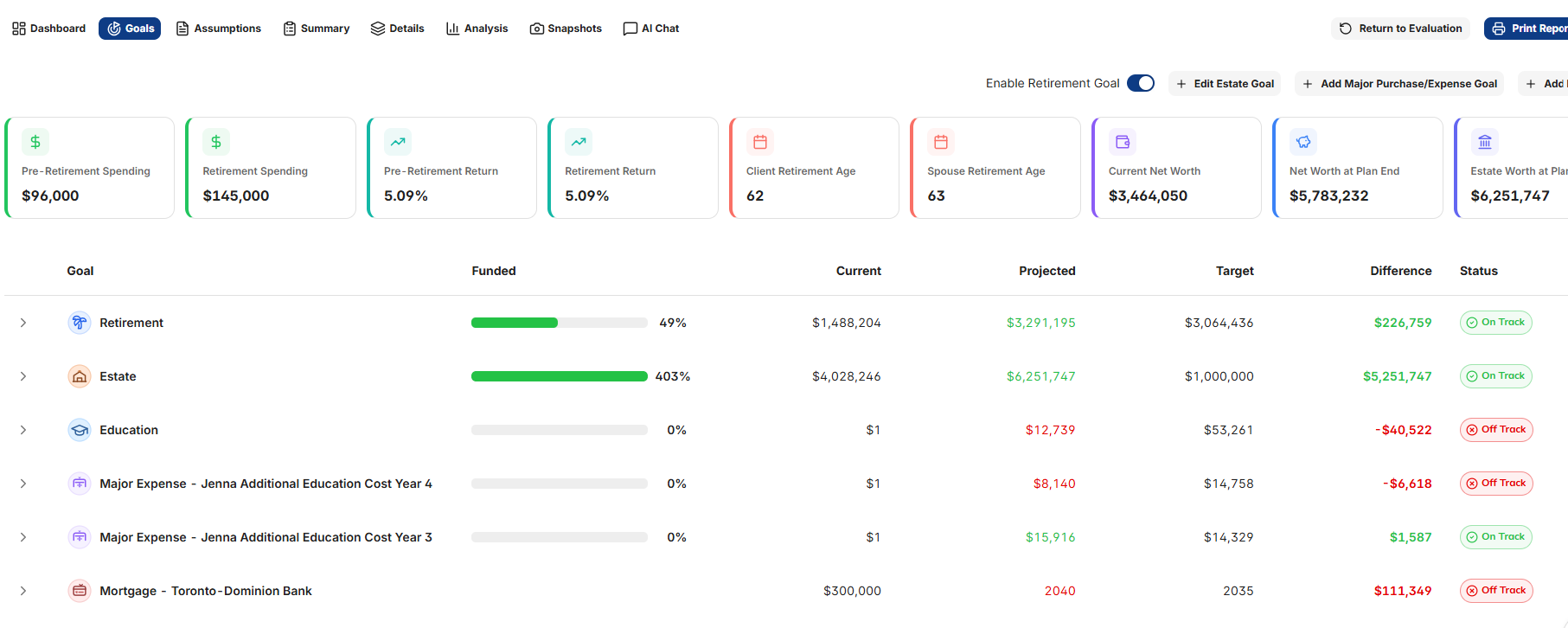
Major planning pages have been updated to create a more consistent experience across the dashboard, assumptions, analysis, details, snapshots, and new scenario workflows.
- Cleaner assumptions experience
- Faster and more intuitive scenario setup
- Better alignment between onboarding, assumptions, and scenario management
- More consistent navigation across planning pages
- Reduced friction across day-to-day planning workflows
What’s next for the dashboard
The new dashboard is just the beginning. We’re continuing to build on this experience throughout Q2 and Q3 2026, with additional enhancements designed to give advisors more flexibility, more customization, and more ways to present planning insights clearly.
What’s next with Planworth
Alongside the continued evolution of the dashboard, we’re preparing a new generation of optional Planworth add-on products and AI-powered capabilities designed to help advisors work more efficiently, uncover deeper client insights, and streamline the planning process.
Open API Platform
Secure access to Planworth data and insights for custom integrations, internal workflows, reporting, and connected firm experiences.
AI-Powered Plan Summaries
Plain-language summaries that explain plans, charts, goals, and key planning outcomes for advisors and clients.
AI Planning Assistant & Chat
Natural-language tools to ask questions about a client plan and interact with planning information through chat-based workflows.
AI Suggestions Engine
Smart recommendations designed to help advisors identify planning opportunities, review plan gaps, and streamline plan maintenance.
Expanded Advisor Automation
Continued investment in workflow automation, insights, and productivity enhancements across the platform.
Join us for a walkthrough
We’ll be hosting a June webinar to walk through the new dashboard experience, highlight what’s changed, and share how advisors can get the most out of the update.